
Manpower Sheet
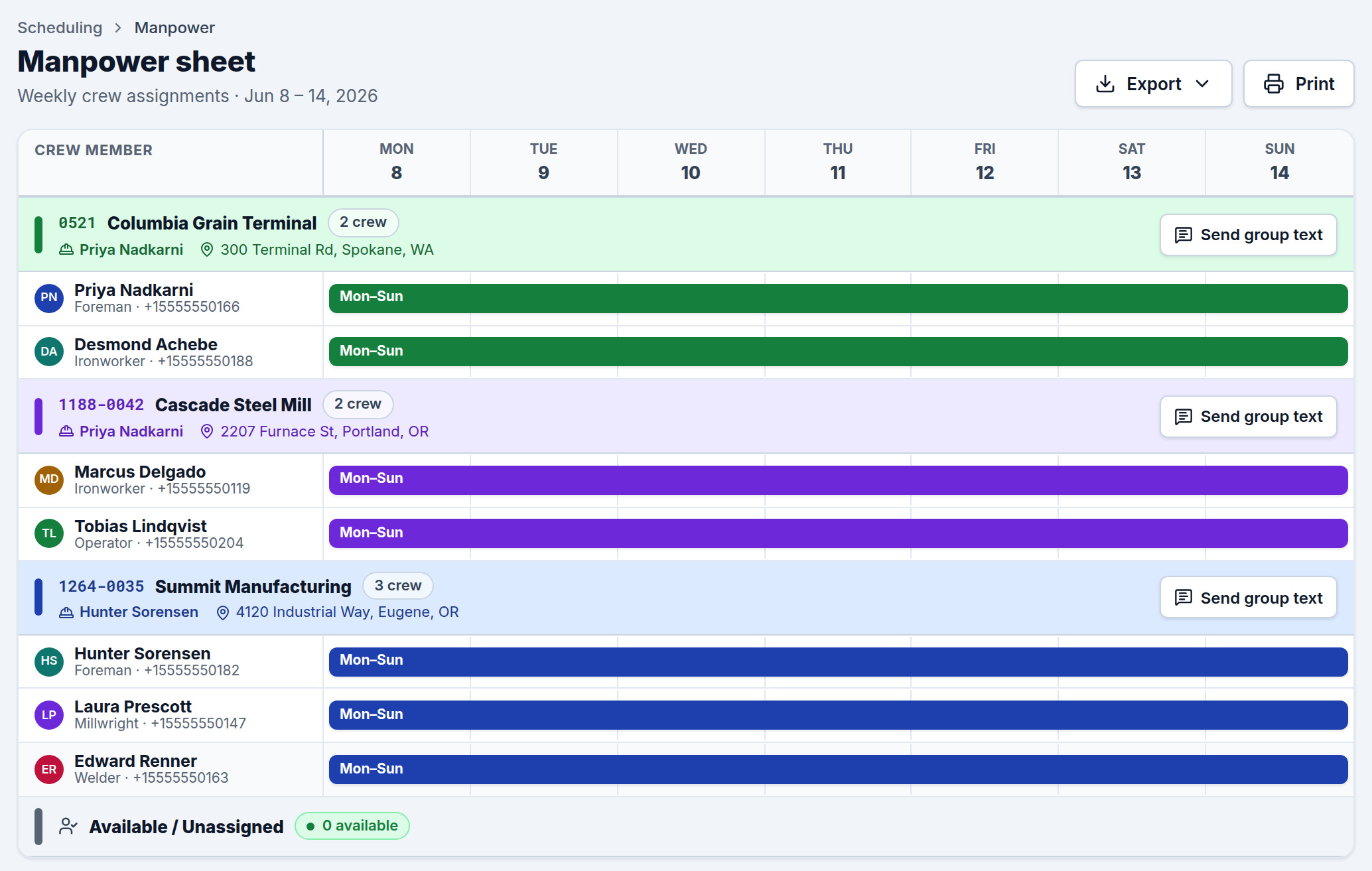
The Manpower sheet is a weekly, printable view of who's working where — grouped by job, with each crew member's days shown as a bar across the week. It's the field-ready companion to the Schedule: the schedule is where you build assignments, and the manpower sheet is what you hand out or post for the week.
What it shows
For the selected week, the sheet lists:
- Each job that has crew assigned, with its job number, client, jobsite lead, jobsite address, and a crew count.
- Every assigned crew member under their job, with a bar spanning the days they're on that job (Mon–Sun across the top).
- Available / Unassigned crew at the bottom — anyone not staffed to a job that week, so you can see at a glance who's free.
Each crew member's bar reflects the earliest start and latest end across all of that job's scheduled blocks for the week, so even split or multi-block assignments read as one clear span.
Working with it
- Change the week using the week selector in the top bar; the whole sheet updates.
- Send group text sits on each job header so you can message that job's crew about the week's plan. (See Group Texts.)
- Export the sheet from the top-right menu to CSV, Excel, or JSON for sharing or records. To print or save as PDF, use Export and your browser's print dialog.
Where the data comes from
The manpower sheet is built entirely from your Schedule — there's nothing to enter here. Assign crew on the schedule and they appear on the manpower sheet automatically. If someone is missing, check that they're assigned to a scheduled block in that week.