
Group Texts
⚠️ Crew texting turns on once you connect an SMS provider. Conversations and recipients are built from your real jobs and crew, but messages send only after crew texting (Telnyx) is set up — see Settings → Integrations.
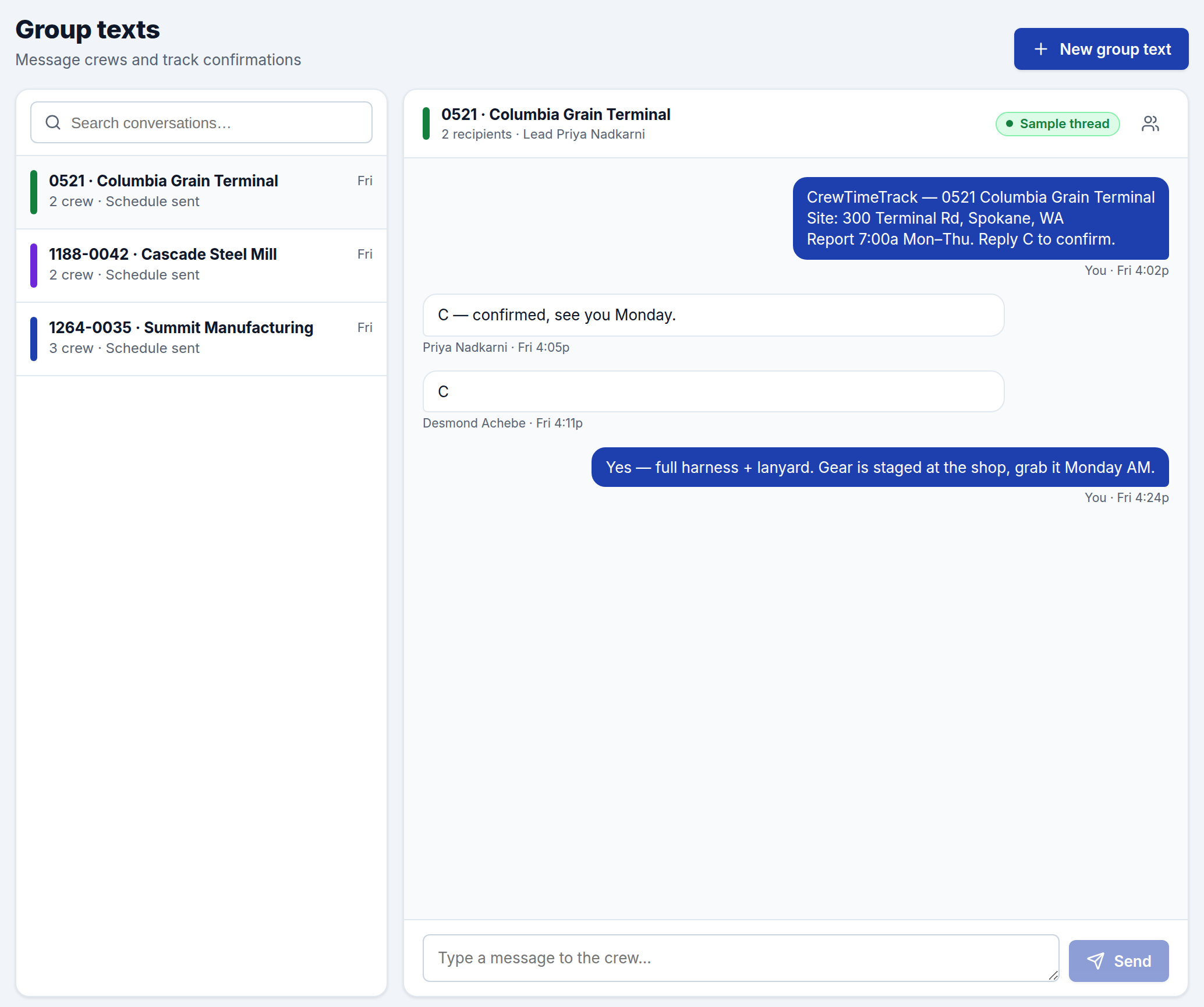
Group Texts lets you message a job's crew all at once — perfect for sending the week's schedule, reporting times, and gear reminders. It's organized as one conversation per job, so messages stay tied to the work.
How conversations are organized
Each job that has crew assigned shows up as a conversation thread. Pick a thread on the left and you'll see the job, its jobsite lead, and the list of recipients — the crew currently scheduled on that job, pulled straight from the Schedule. Keep your schedule current and the right people are always on the thread.
Sending a message
Open a conversation, type your message, and send it to the whole crew at once. A common use is the weekly kickoff — job number, jobsite, and report time in one text to everyone on the job.
You can also start a message to a job's crew right from the Manpower sheet using Send group text on the job header. Each worker also gets a private link to log their hours — see Employee timesheets.
Opting out
Crew can reply STOP at any time to opt out of texts (and HELP for help); CrewTimeTrack honors those automatically. Two-way conversation replies and reply-to-confirm tracking aren't available yet — they're on the roadmap.